Write your sewer scope report in 2 minutes.

Turn your field notes into a clean, client-ready inspection report. Defect codes, a 1–5 pipe grade, scope & limitations, and nine report templates — a one-page buyer summary, a city compliance form, a PACP-style segment report and more.

📄 Download the free Sewer Scope Defect Cheat Sheet

No credit card required · 7 days, up to 20 reports a day · one license per inspector account

Save 20–30 min per report

Type or dictate your observations. The AI drafts the Overview, Findings and Recommendations for you.

🎯

Built only for sewer scope

Not a bloated all-in-one. It speaks camera-inspection language: roots, offsets, bellies, breaks, cracks, scale, grease — and every finding carries a defect code and a severity level that defaults to fixed thresholds. Disagree with a threshold? Adjust it — the change is recorded on the report.

📐

Consistent grades, traceable reports

Every report prints a report number, pipe condition grade 1–5, a Scope & Limitations table and a deterministic QA check of locations and severities against your notes.

How it works

1

Enter your notes

Type or dictate what you saw — distance, defect, measurements. Fill in the scope and limitations.

2

Generate the draft

AI writes the wording; fixed rules assign codes, severities and the pipe grade.

3

Review, sign, deliver

Check the QA notes, add captioned evidence photos, then download the PDF — rendered on the server with your photos and branding embedded.

Nine report templates — hand over the packet they need

Same inspection, same defect codes and 1–5 pipe grade; only the deliverable changes. Generate once, then switch the template until it fits whoever is reading it. Every template is included in the trial — no add-ons. Click any sample to enlarge it.

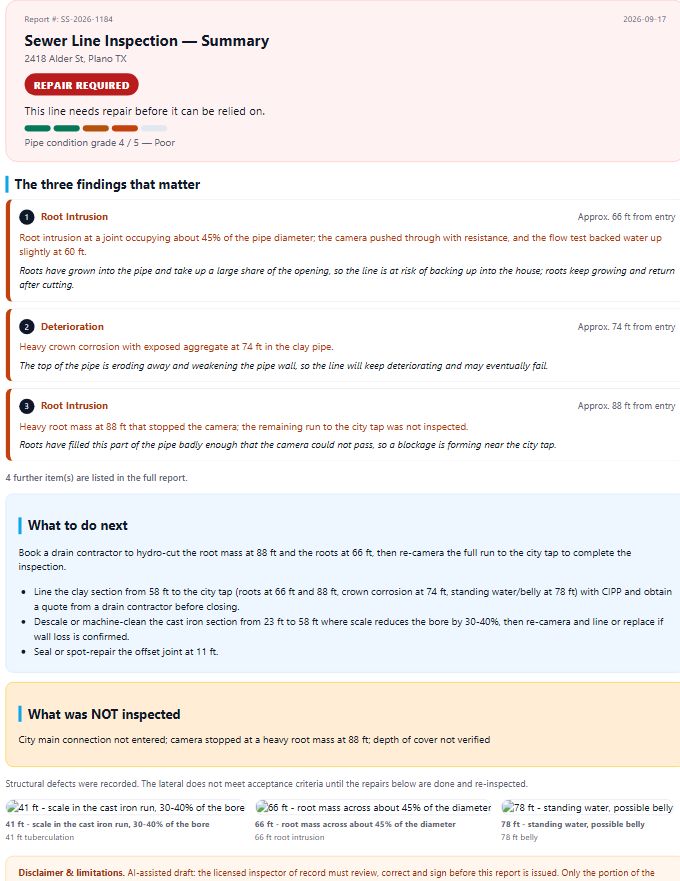
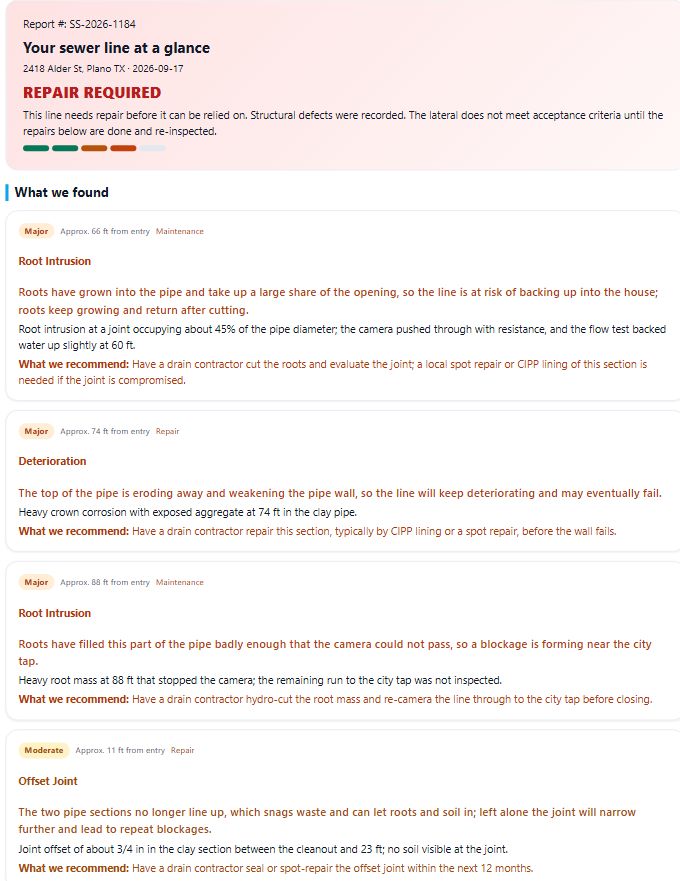
One-page buyer summary template: repair verdict, the three findings that matter, what to do next, what was not inspected
One-page buyer summaryBuyer & agent · verdict + the three findings that matter, no codes
Client-friendly modern template: large type, one card per finding with a plain-language what this means
Client-friendly (modern)Homeowner · big type, plain-language card per finding
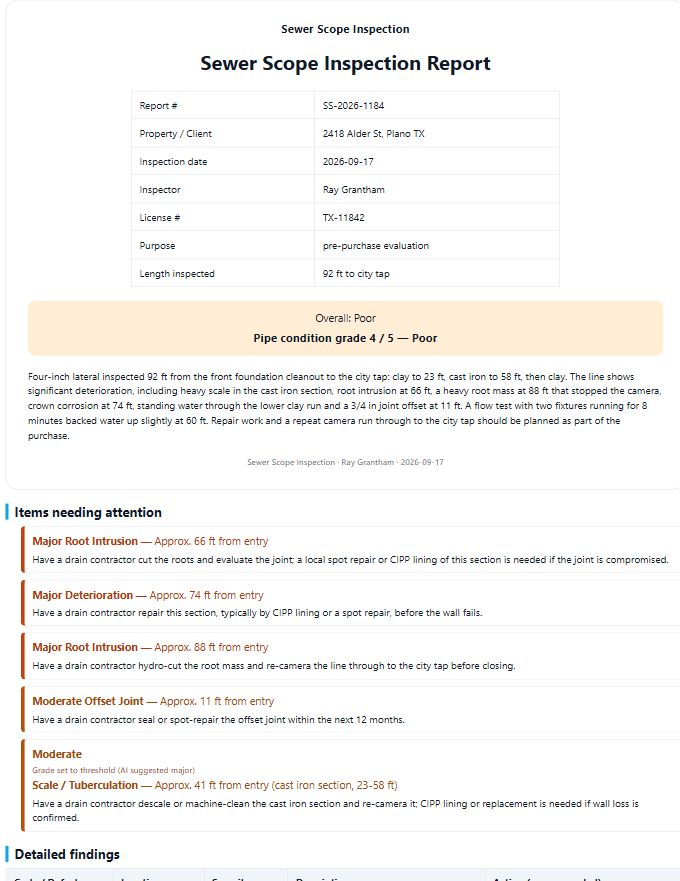
Cover page template: report data table, pipe condition grade, items needing attention, detailed findings, photo appendix
Cover page + evidence appendixClient packet · cover sheet, attention list, photo appendix
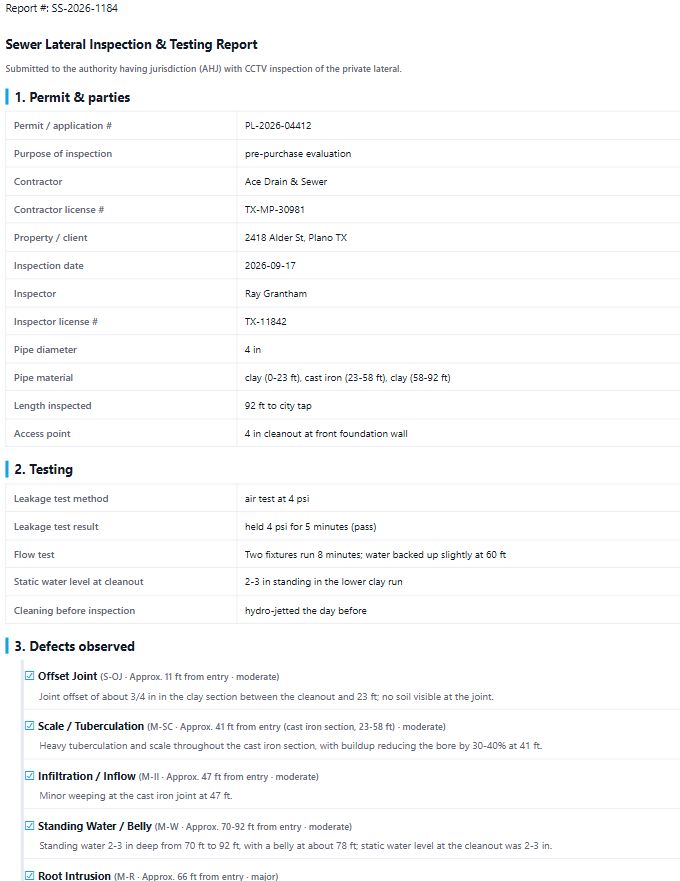
Municipal compliance form template: permit and contractor data, test method and result, defect checklist, pass or fail stamp, signatures
Municipal compliance formCity permit office · permit data, test result, pass / fail stamp
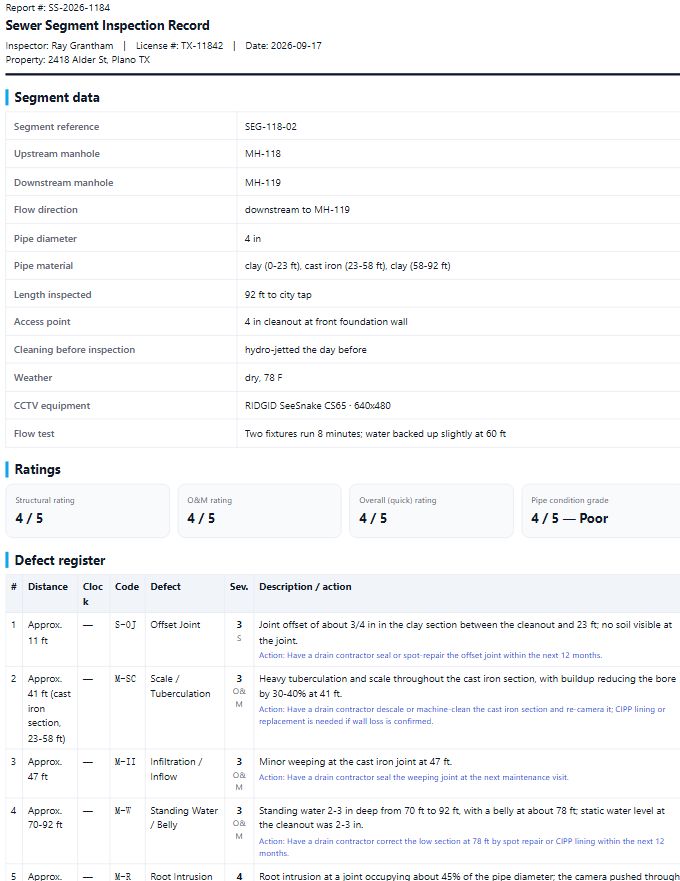
PACP-style segment report template: segment header with manholes and direction, structural and O and M ratings, defect table with distance and clock position
PACP-style segment reportCity / sewer authority · segment header, structural vs O&M ratings
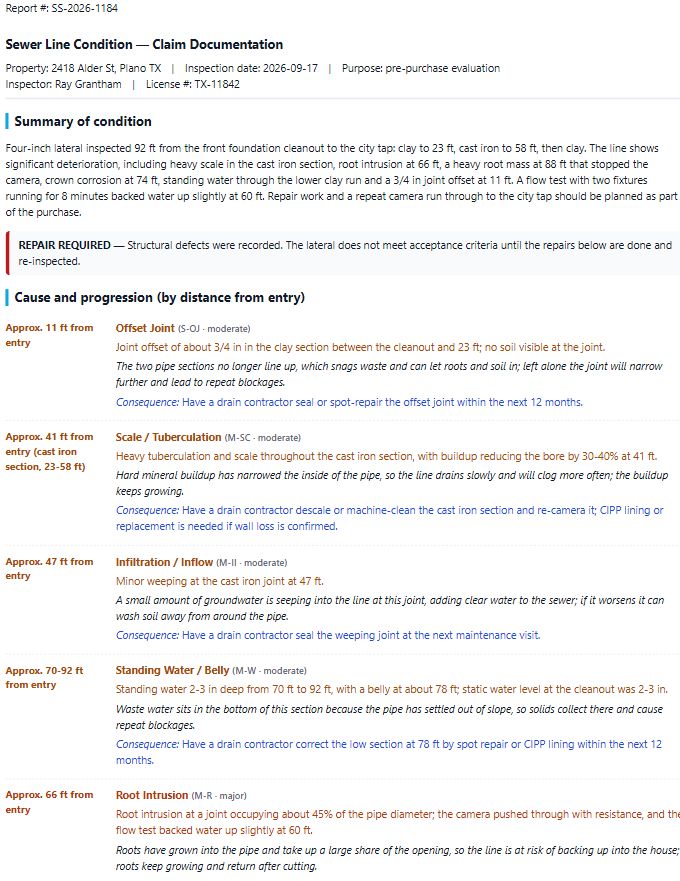
Insurance claim narrative template: cause and progression timeline, damage observed, repair scope split into structural repair and maintenance
Insurance claim narrativeAdjuster / seller · cause, damage, repair vs maintenance
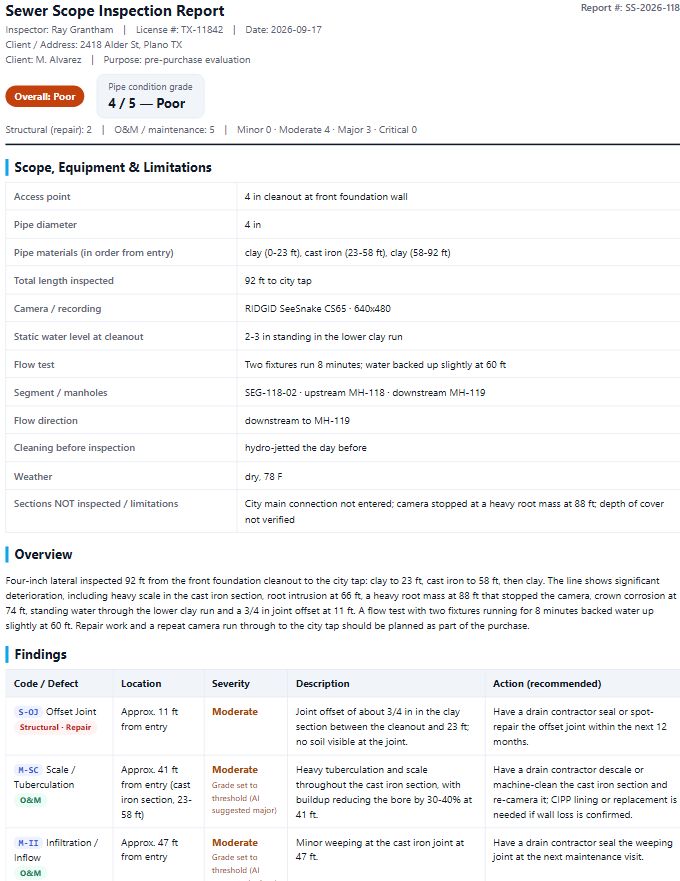
Technical standard template: report header, scope and limitations table, findings table with codes and severities, prioritised recommendations
Technical standardInspector / file copy · codes, severities, prioritised actions
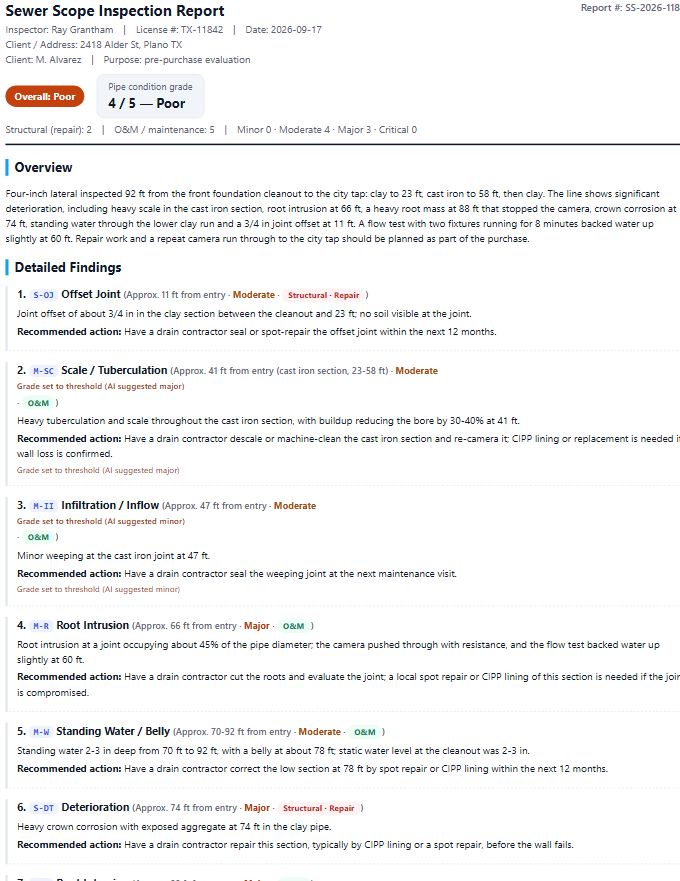
Technical detailed template: each finding in its own block with a full narrative description
Technical detailedInspector / file copy · one narrative block per finding
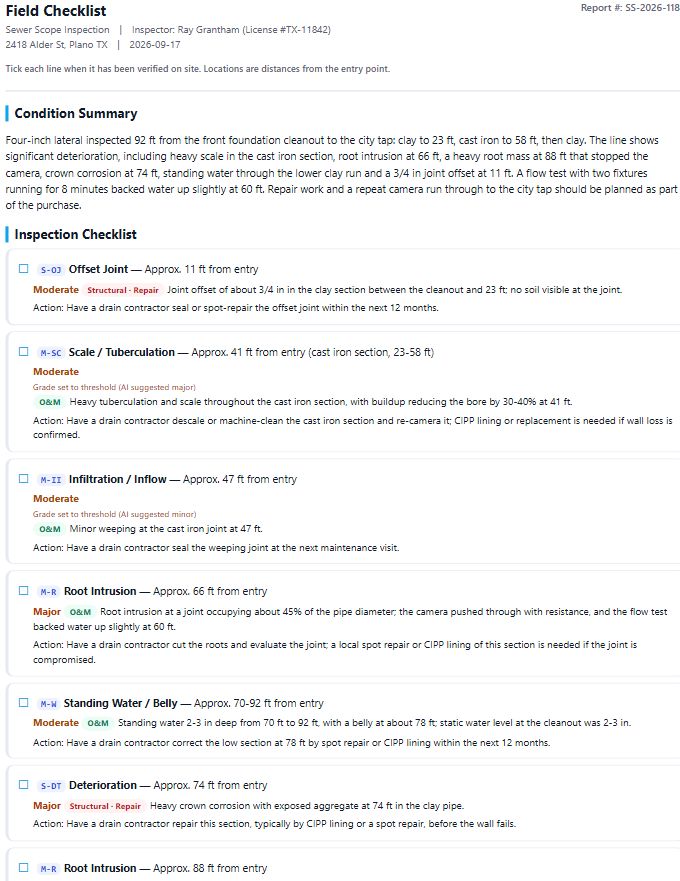
Field checklist template: tick-list of every finding with location and action for re-inspection
Field checklistInspector on site · tick-list with location and action

Codes, severities and the pipe grade never change with the template — only the layout and what gets shown. All nine are included in the trial.

Start 7-Day Free Trial

Pricing

Start free. One license covers one inspector account.

Free trial

$0
  • 7 days of full access
  • Up to 20 reports a day
  • All 9 report templates
  • Defect codes & 1–5 pipe grade
  • Evidence photos
Start free

Pro — annual

$390/yr
  • Everything in the monthly plan
  • Pay 10 months, get 12 — save $78
  • Price locked for the full year
  • Same fair-use cap: 50 reports/day

One license key activates one inspector account (it cannot be shared across logins). Working with a crew? Email us about a team plan. 30-day money-back guarantee on the annual plan.

FAQ

Is the AI accurate?

It drafts the wording from your notes and never invents findings or distances. Codes, severity levels and the 1–5 pipe grade default to fixed thresholds, and you can override any severity from the report — the report records that you did, and the pipe grade is recomputed. It also tells you when a location in the draft does not match your notes. You review and sign every report.

Will it hold up legally?

Your professional judgment and license are what matter. The report carries your license number, a report number on every page, a scope-and-limitations table and a signature line. The tool is a drafting assistant, not a replacement for you.

What happens to my client's data?

Your evidence photos — and the frames you capture from a video — are uploaded and stored with your report so they can be embedded in the PDF. The original video file itself stays on your device. Your notes text (and the job details you type) is sent to our AI provider to draft the report wording, so do not paste SSNs, card numbers or other sensitive personal data into the notes. We do not sell your data and we do not use it to train models. See our Privacy Policy for exactly what we store and how to delete it. Keep the original video until the report is accepted — it is your evidence.

Do you support PACP-style reporting?

Findings are coded with a PACP-style shorthand (M- for operation & maintenance, S- for structural) and the pipe gets a 1–5 condition grade. It is a working shorthand to keep reports consistent; formal PACP deliverables for a municipality still require a PACP-certified inspector.

Can my whole crew share one account?

No — one license key activates one inspector account, and it cannot be moved to a different login. That is deliberate: every page of every report is stamped with the account's inspector name and license number, and report history is per account, so shared logins produce reports signed by the wrong person. If you run a crew, email us for a team plan with a seat and its own login for each inspector.

What if it doesn't work for me?

Try it free for 7 days first — no card needed. The annual plan comes with a 30-day money-back guarantee: email us within 30 days and we refund it, no questions.

Why not just use Spectora/HomeGauge?

If you already run a full home-inspection platform, this is the sewer-scope piece it does badly (or not at all) — a focused add-on rather than a whole new suite. If you only do sewer scopes, you are not paying for features you never use.
Questions?

Email us — we reply fast.

support@homeddns.com